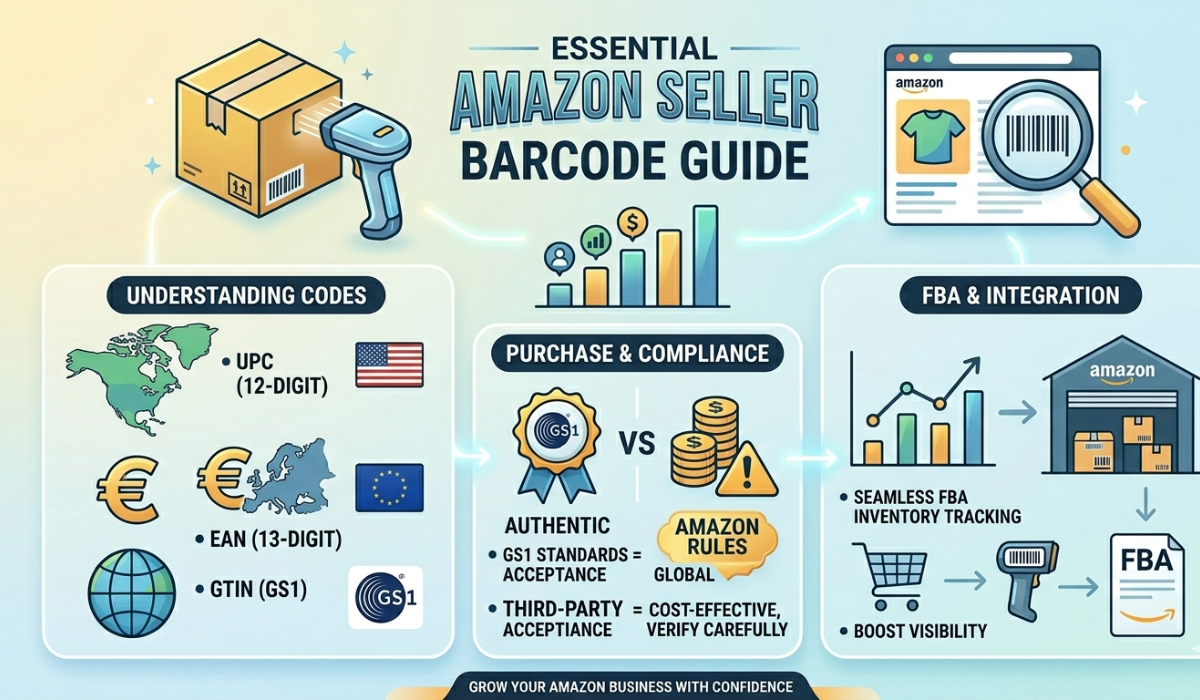
If you are preparing products for Amazon, the first step is not simply buying a barcode. You should determine what identifier your product requires, how many unique product variations you have, and whether Amazon requires a GTIN for your particular listing.
This guide explains the basics so you can make a more informed decision before purchasing barcodes.
What Is a GTIN?
GTIN stands for Global Trade Item Number. It is a standardized product identifier used to distinguish one trade item from another.
UPC and EAN are commonly encountered GTIN formats. Amazon explains that GTINs can be used to match an offer to an existing product or when creating certain new product listings.
Common formats include:
- UPC (GTIN-12): A 12-digit identifier commonly associated with North American retail.
- EAN (GTIN-13): A 13-digit identifier commonly encountered in Europe and many other international markets.
- ISBN: Used for books and publications.
- JAN: Commonly associated with products for the Japanese market.
UPC and EAN numbers are normally represented by the familiar black-and-white barcode symbol printed on product packaging.
UPC vs EAN: Which Barcode Do You Need?
For many physical products, UPC-A and EAN-13 are the barcode formats sellers encounter most often.
A UPC-A contains 12 digits and is commonly used in the United States and Canada. An EAN-13 contains 13 digits and is widely used internationally.
GS1UPC notes that UPC and EAN formats are broadly accepted, but individual retailers and trading partners can have their own requirements.
Therefore, don't choose a barcode format based only on geography. Check the requirements of the marketplace, retailer, distributor, or other trading partner where the product will actually be sold.
Does Every Amazon Product Need a Barcode?
Not necessarily.
Amazon states that GTINs are commonly used as product identifiers, but there are circumstances where a seller may be able to list a product without one. For example, an existing product may already be present in Amazon's catalog, allowing a seller to match an offer to that product.
Amazon also provides a GTIN exemption process for eligible products that do not have a product ID.
This is why sellers should check their specific situation before purchasing barcode numbers.
Requirements can vary depending on factors such as:
- Product type
- Brand
- Product category
- Existing Amazon catalog information
- Marketplace
- Seller account
- Whether the product qualifies for an exemption
Amazon's requirements can change, so check the current guidance in Seller Central before purchasing identifiers specifically for an Amazon listing.
How Many Barcodes Do You Need?
One of the most common mistakes is counting product designs instead of individual product variations.
In general, each distinct product variation that needs to be separately identified requires its own identifier.
For example, suppose you sell a T-shirt in:
- 3 sizes
- 4 colors
That creates 12 unique variations, so you would generally need 12 separate identifiers.
Amazon GTIN guidance likewise treats different sizes, colors, and combinations of those attributes as separate product variations requiring separate GTINs within the Amazon system.
Other variations can include different:
- Weights
- Flavors
- Fragrances
- Pack quantities
- Models
- Sizes
- Colors
Count your complete product range before purchasing. This can prevent you from buying too few barcode numbers or unnecessarily ordering far more than you need.
Step-by-Step: How to Prepare Barcodes for Amazon
Step 1: Check Amazon's Requirements First
Before buying anything, check whether the product already exists in Amazon's catalog and determine what product identifier Amazon requests for your listing.
If you own or manufacture a new product and Amazon requires a GTIN, Amazon's guidance directs sellers to obtaining a GTIN. Amazon also explains that eligible products may be able to use its GTIN exemption process.
This check should happen before purchasing barcodes from any provider.
Step 2: Count Your Products and Variations
Create a simple list or spreadsheet containing every product you plan to sell.
Include each size, color, weight, flavor, pack size, or other variation separately. This gives you a much more accurate barcode quantity.
For example:
Product: Coffee Beans
500 g Original: 1 identifier
1 kg Original: 1 identifier
500 g Dark Roast: 1 identifier
1 kg Dark Roast: 1 identifier
That product family contains four separately identifiable variations.
Step 3: Determine the Barcode Format
Determine whether your sales channel or trading partner expects UPC, EAN, or another identifier.
UPC-A is commonly associated with North America, while EAN-13 is commonly encountered internationally. However, your marketplace or retailer's requirements should ultimately determine what you use.
Step 4: Choose the Appropriate Source
This is particularly important for Amazon sellers.
If Amazon requires a GTIN associated with your business or product, obtain it through GS1UPC or the appropriate Organization.
Other barcode services may provide UPC or EAN barcode numbers for other business uses, but those should not automatically be assumed to satisfy Amazon's GTIN verification requirements.
Always confirm the requirements for your intended use before purchasing.
Step 5: Keep a Product-to-Barcode Record
Once you have the appropriate identifiers, maintain a record showing which number belongs to which product.
A spreadsheet can contain:
Product Name | SKU | Size | Color | UPC/EAN | Marketplace
Once a barcode has been assigned to a particular product, don't casually move that number to another unrelated product.
Good recordkeeping becomes increasingly important as your catalog grows.
Buying UPC and EAN Barcodes for Your Products
If you have confirmed that UPC or EAN barcode numbers from a third-party barcode service are appropriate for your intended use, GS1UPC offers barcode packages for different product quantities.
GS1UPC customers receive their purchased barcode package digitally after successful payment, including:
- Scannable barcode files in PDF and JPG formats
- An Excel file containing the supplied barcode numbers
- A Certificate of Ownership for the barcode range supplied with the order
Before purchasing, calculate the number of unique products and variations you need to identify.
Important: Purchasing a barcode from GS1UPC should not be interpreted as obtaining a guarantee that the barcode will be accepted by Amazon or another marketplace. Always verify the current requirements of your intended marketplace, retailer, product category, and account before purchasing.
What Will You Receive After Purchasing from GS1UPC?
After successful payment, the barcode package is delivered digitally to the email address provided during checkout.
The package includes barcode images that can be incorporated into packaging and label designs, an Excel list for organizing the supplied numbers, and a Certificate of Ownership for your records.
Keeping the Excel list is particularly useful when you manage multiple products because it helps prevent accidentally assigning the same supplied number to different items within your own catalog.
Amazon GTIN vs ASIN vs SKU
These terms are often confused, but they serve different purposes.
GTIN
A GTIN is a standardized product identifier. UPC and EAN are common GTIN formats.
ASIN
An ASIN (Amazon Standard Identification Number) is Amazon's own identifier for a product in its catalog. Amazon assigns an ASIN when a new product is created in its catalog.
SKU
A SKU (Stock Keeping Unit) is normally an internal inventory identifier created by a seller or business.
The same product can therefore have different types of identification serving different purposes.
Manufacturer Barcodes vs Amazon Barcodes for FBA
Amazon FBA introduces another barcode concept that sellers should understand.
A product identifier such as a UPC/EAN and an Amazon barcode used for fulfillment tracking are not necessarily the same thing.
Amazon's current FBA guidance distinguishes manufacturer barcodes from Amazon barcodes and explains that certain products must use Amazon barcodes rather than manufacturer barcodes.
If you use FBA, review Amazon's current labeling and preparation requirements before printing large quantities of product labels.
Common Barcode Mistakes Amazon Sellers Should Avoid
A little preparation can prevent expensive packaging and listing mistakes.
Buying before checking Amazon requirements: Don't assume that any UPC or EAN number will automatically work for every Amazon listing.
Using one number for multiple variations: Different sizes, colors, weights, or other separately identifiable variations generally need separate identifiers.
Confusing a barcode with an ASIN: A UPC/EAN product identifier and Amazon's ASIN serve different functions.
Printing packaging too early: Confirm that your identifier and listing setup are appropriate before printing thousands of labels or packages.
Poor recordkeeping: Maintain a spreadsheet connecting every barcode number with its assigned product.
Assuming marketplace requirements never change: Amazon policies and listing workflows can change. Check current requirements when creating new listings.
Can You Sell on Amazon Without a GTIN?
Sometimes.
Amazon describes a GTIN exemption process for eligible products that do not have a product ID. A seller can begin the listing process, indicate that the product does not have a product ID, and Amazon may provide an option to apply for an exemption.
Eligibility is determined through Amazon's process, so don't assume that every product will qualify.
If an exemption applies to your product, purchasing a barcode solely for that Amazon listing may be unnecessary.
Can the Same Barcode Be Used on Amazon and Other Sales Channels?
A product identifier is intended to identify the product rather than a particular sales website. Therefore, the same product should generally retain its assigned identifier across channels rather than receiving a different identifier simply because it is sold somewhere else.
However, individual marketplaces and retailers may have their own verification and listing requirements.
Before using a barcode across Amazon, your own website, retail stores, or another marketplace, verify the requirements of each sales channel.
Frequently Asked Questions
Do I need one barcode for every Amazon product?
Different products and separately identifiable product variations generally require separate identifiers. However, first check whether your Amazon listing actually requires a GTIN or qualifies for another listing route.
Does every size and color need a different barcode?
Generally, yes. Different sizes and colors represent separate product variations. GS1UPC's GTIN allocation guidance specifically treats these variations separately.
Is a UPC the same as a GTIN?
A UPC is a type of GTIN. More specifically, UPC is commonly associated with GTIN-12. EAN is commonly associated with GTIN-13.
Can I buy a barcode and automatically use it on Amazon?
Do not assume so. Amazon's requirements depend on the listing and product situation. Check Amazon's current product-ID requirements before purchasing a barcode specifically for Amazon.
What is a GTIN exemption?
A GTIN exemption is an Amazon process that may allow an eligible product without a product ID to be listed without supplying a GTIN. Amazon determines eligibility during its listing/exemption process.
Does GS1UPC guarantee Amazon acceptance?
No. Marketplace requirements can vary by product, brand, category, seller account, and marketplace and can change over time. Confirm Amazon's current requirements before purchasing.
What files does GS1UPC provide after purchase?
After successful payment, GS1UPC delivers scannable PDF and JPG barcode files, an Excel list of the supplied barcode numbers, and a Certificate of Ownership for the supplied barcode range.
Final Checklist Before Purchasing Barcodes for Amazon
Before spending money or printing product packaging, confirm:
- Whether the product already exists in Amazon's catalog.
- Whether Amazon requires a GTIN for the listing.
- Whether the product may qualify for a GTIN exemption.
- Which identifier or barcode format is appropriate.
- How many unique products and variations you have.
- Whether your chosen barcode source satisfies the requirements of the marketplace where you intend to sell.
- Which barcode number will be assigned to each product.
Taking these steps first can save time and reduce listing problems later.
Conclusion
Purchasing barcodes for products you intend to sell on Amazon should begin with verification, not checkout.
Determine whether your product requires a GTIN, check Amazon's current requirements, count every unique product variation, and choose the appropriate source for the identifier you need.
If you have confirmed that UPC or EAN barcodes from GS1UPC are suitable for your intended use, you can select a package based on the number of products and variations in your catalog. View UPC & EAN barcode packages